Record a pet’s passing with Final Journey
If you’d like to keep a pet’s records available for viewing in PadsPass, you can use the Final Journey feature to record their passing.
Steps to record a pet’s passing (Final Journey)
- Open PadsPass.
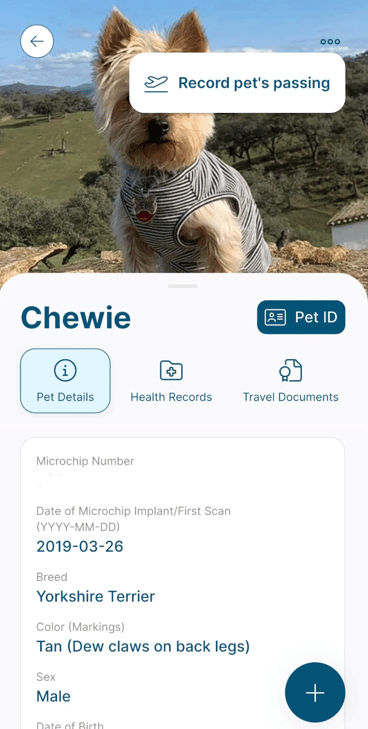
- Tap your pet’s profile.
- Tap the top-right corner.
- Tap the three dots (…).
- Tap record pet’s passing.
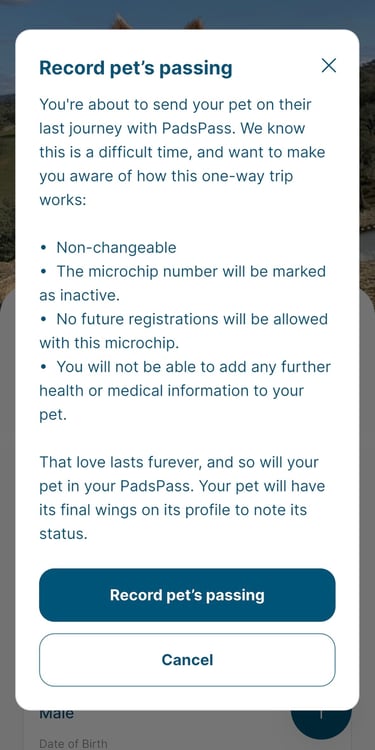
- Confirm by tapping record pet’s passing again.
What to expect after you use Final Journey
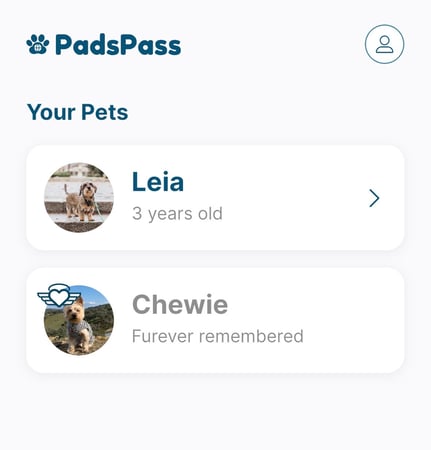
- A heart-with-wings icon will appear next to your pet’s profile, and their age will change to “furever remembered”.
- You can still view that pet’s records.
- You won’t be able to add new records for that pet.